
About me
Background
Games have always been a huge part of my life. They've not only entertained me, but sparked my imagination and challenged my me to think in new waysI've always liked making things and figuring out how stuff works,
and after a couple of years in the Telecom industry it became clear I wanted to do something more creative for a living.That led me to study at The Game Assembly and then into an internship at The GD Studio. So far it has been an incredible journey and I am excited for what the future has to offer.Outside of work
I still enjoy playing games, just on a smaller scale. I’m also into sports and thrive in team environments. Recently I picked up golf with my younger brother. Turns out it’s a much more fun way of taking a walk (most of the time).
Intergalactic Ball Throwing Championship With Friends ツ
Contributions
- Throwing ball physics
- Player
- Portals
- Audio System
Harbor Havoc
Contributions
- AI Enemies
- AI Manager
- Behavior Tree
Stellas Quest
Contributions
- Astar pathfinding
- Grid Manager
- Frustrum Culling
- Collision System
Spite Hymn of Hate
Contributions
- Navmesh import
- Navmesh Pathfinding
- AI Enemies
Dissonance
Contributions
- Scene Manager
- Level json parsing
- Checkpoint System
- Boss Abilities
- UI
3D Navigation Grid
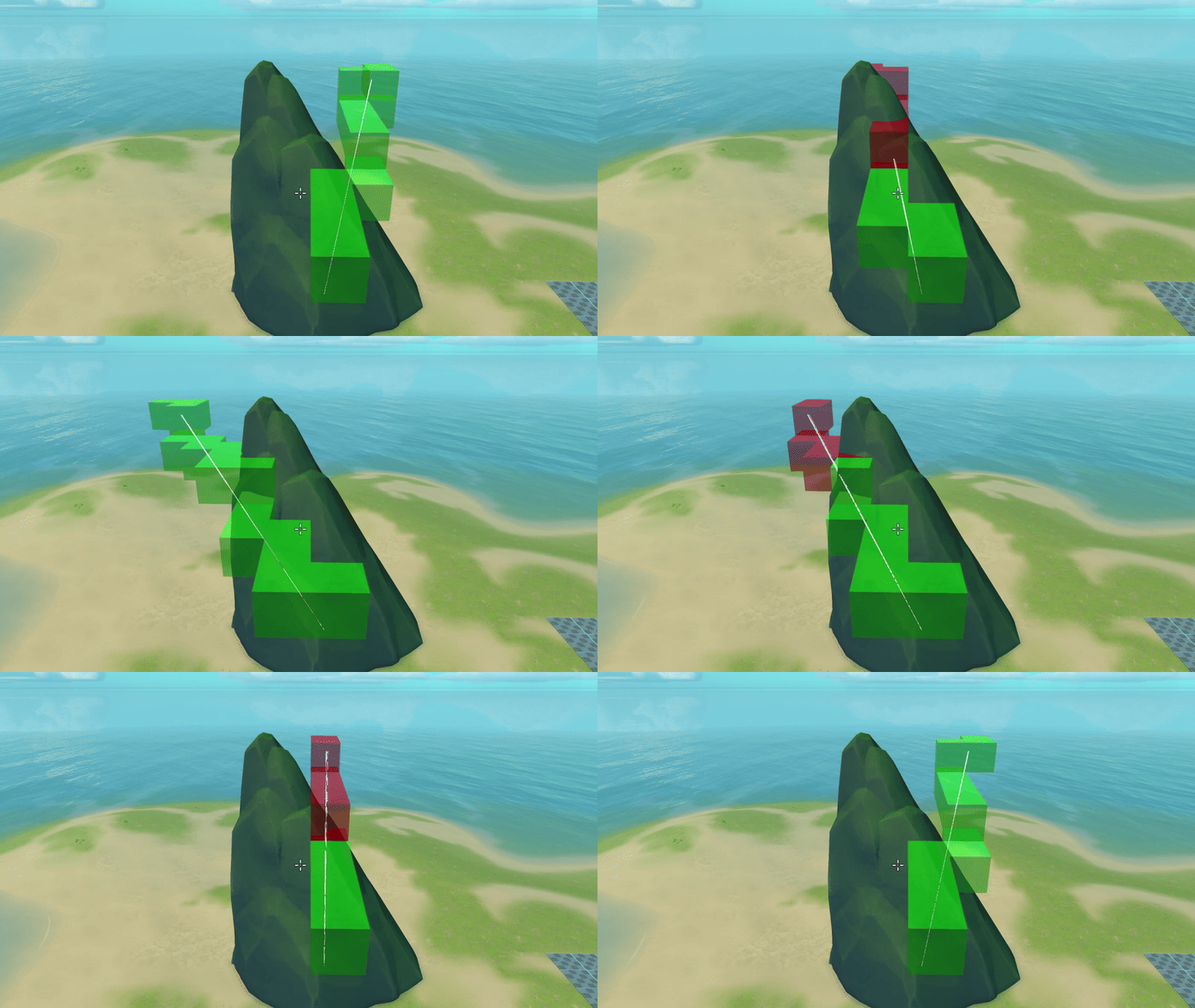
The navigation grid is a system designed to enable pathfinding and navigation within three-dimensional spaces, allowing agents (such as flying units) to traverse complex environments.By using a grid structure, the system efficiently breaks down the 3D space, evaluating terrain and static obstacles to define which volyms are accessible. This process ensures precise pathfinding, even in environments with intricate geometry.For pathfinding, the system employs a unique Grid Trace technique that straightens paths between cells, optimizing movement to be both efficient and smooth.
Influence Maps
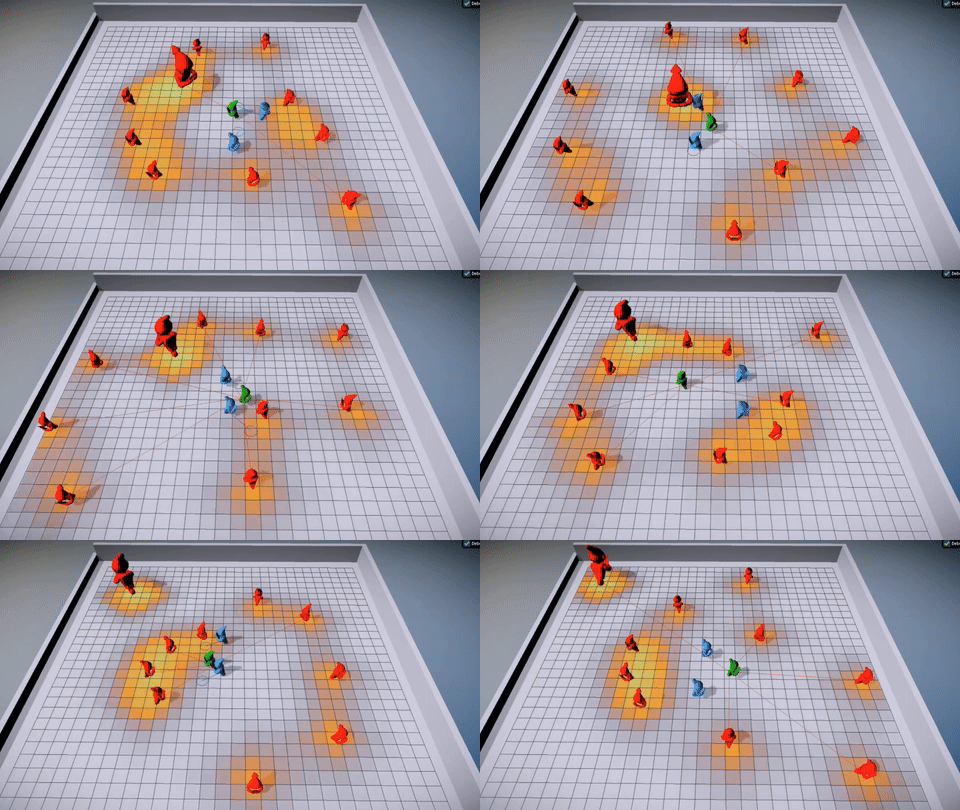
The system provides units with real-time information about their surroundings, such as threat levels and proximity.Multiple influence maps can be dynamically combined during runtime, generating valuable data that units can use to make informed decisions.Learn more to see how units operate solely based on influence data, enabling autonomous and intelligent behavior.
Navmesh Pathfinding
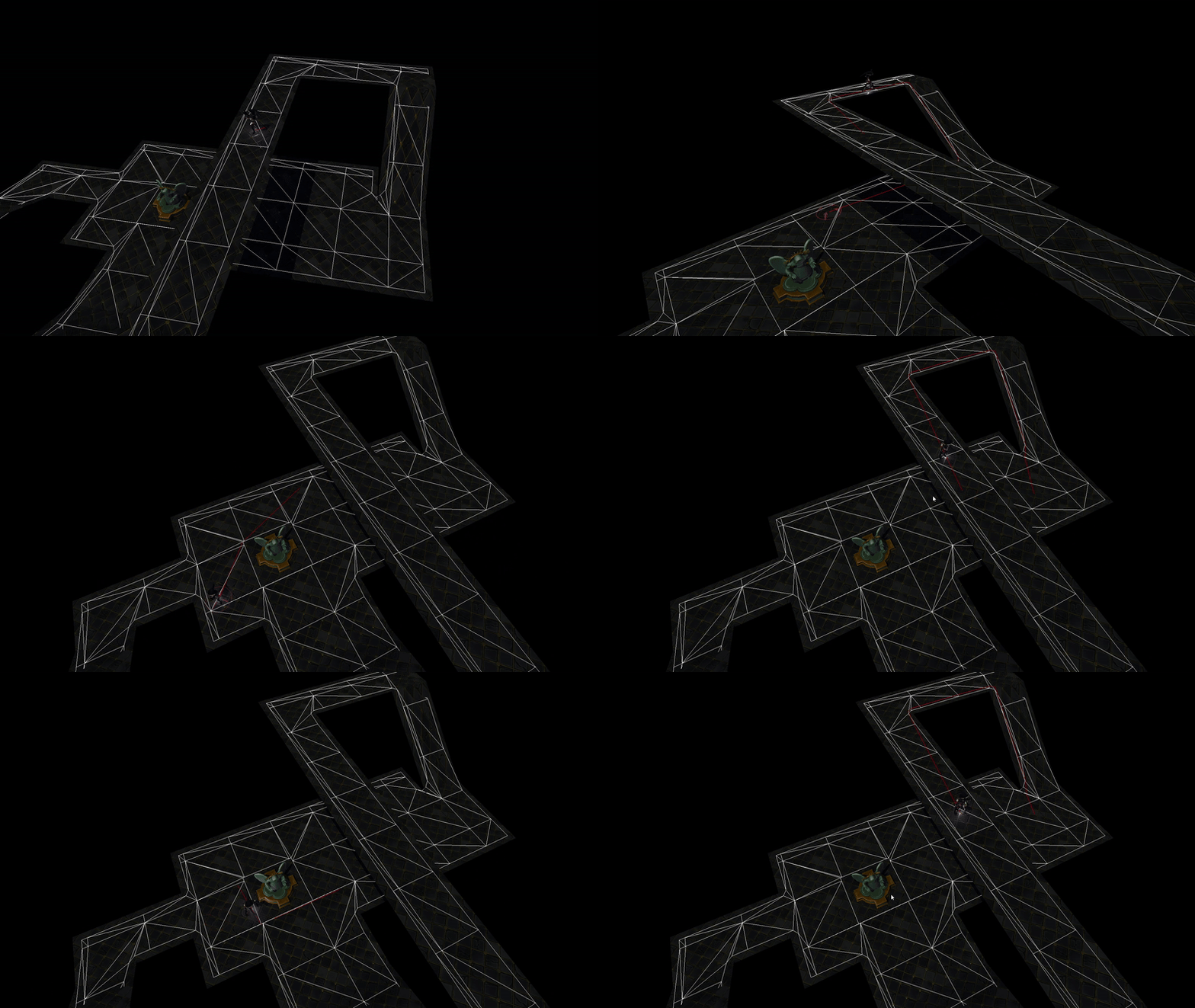
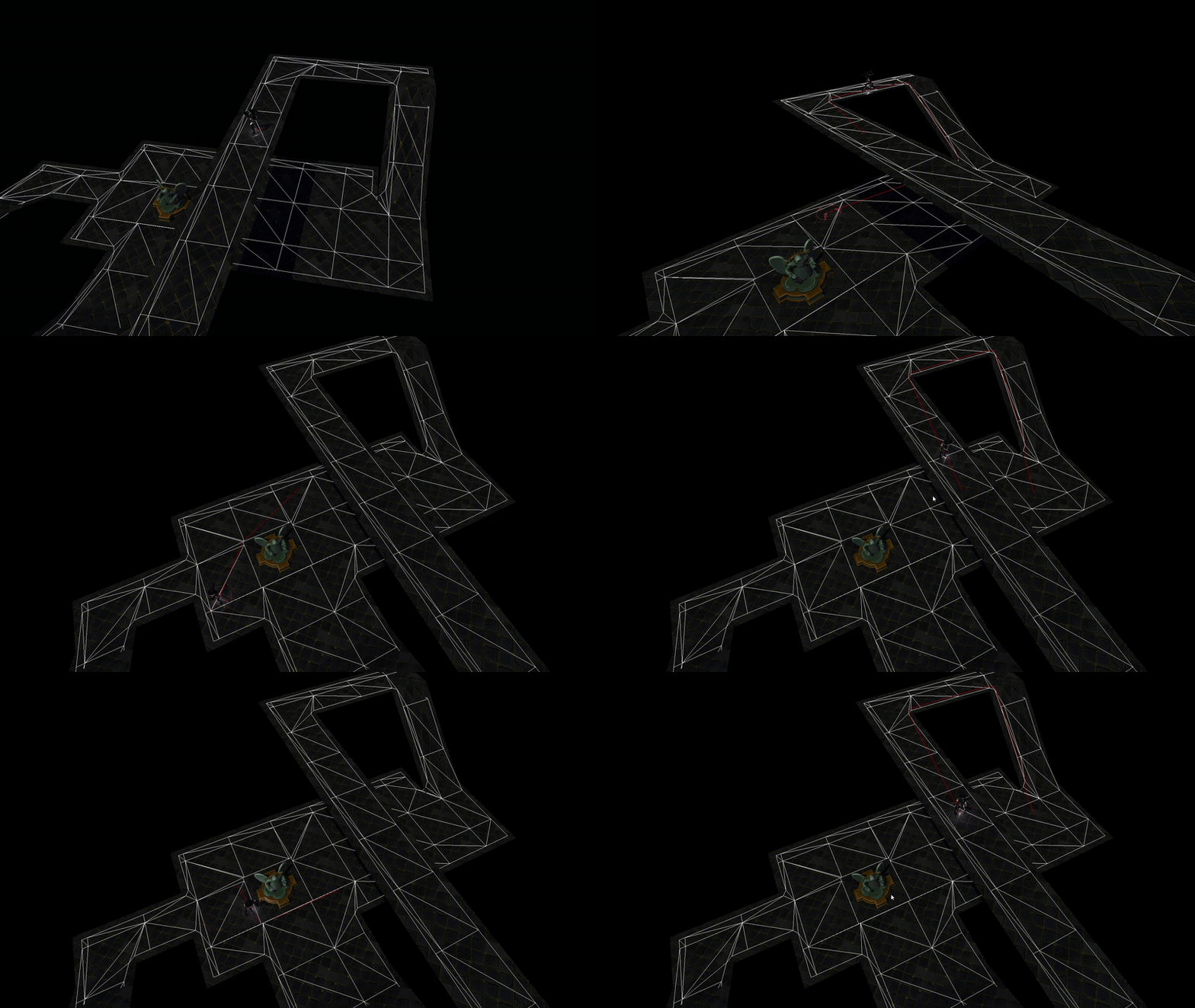
The system provides units with waypoints along the navigation mesh, allowing them to move efficiently through complex environments.While the final algorithm may seem simple, getting there was a complex challenge. Debugging pathfinding logic required overcoming countless obstacles, uncovering tricky edge cases, and gaining deep insights into the field.Learn more to see how I developed my own version through trial and error.
Flocking Boids
A side project to deepen my understanding of kinematic movement and how to combine velocity-based movement with pathfinding.Learn more to see how this small side project evolved into a versatile Steering Controller, which I later applied across multiple game projects to handle AI movement more efficiently.

Influence Maps
Green unit (Fleeing) constantly tries to move to a position under least amount of enemy influence (Red units).
Red Units (Enemies) are coded simply to move towards the green unit but will reset upon detecting high enough influence from the blue units.
Blue units (Defenders) constantly tries to position them self on a high threat position around the green. They also take their own team's proximity into account to keep spread out and avoid clumping up at the same position
How does it work?
An Influence Map in its simplest form, is a grid where each cell holds a value representing some influence in the world.
It works by spreading values from the units center and outwards using a BFS algorithm, creating spatial data describing the units surroundings.The system I’m presenting here takes this concept a bit further by allowing multiple influence maps to be combined during runtime, essentially creating a "texture" that AI's can make strategic decisions based on.
Spreading Influence
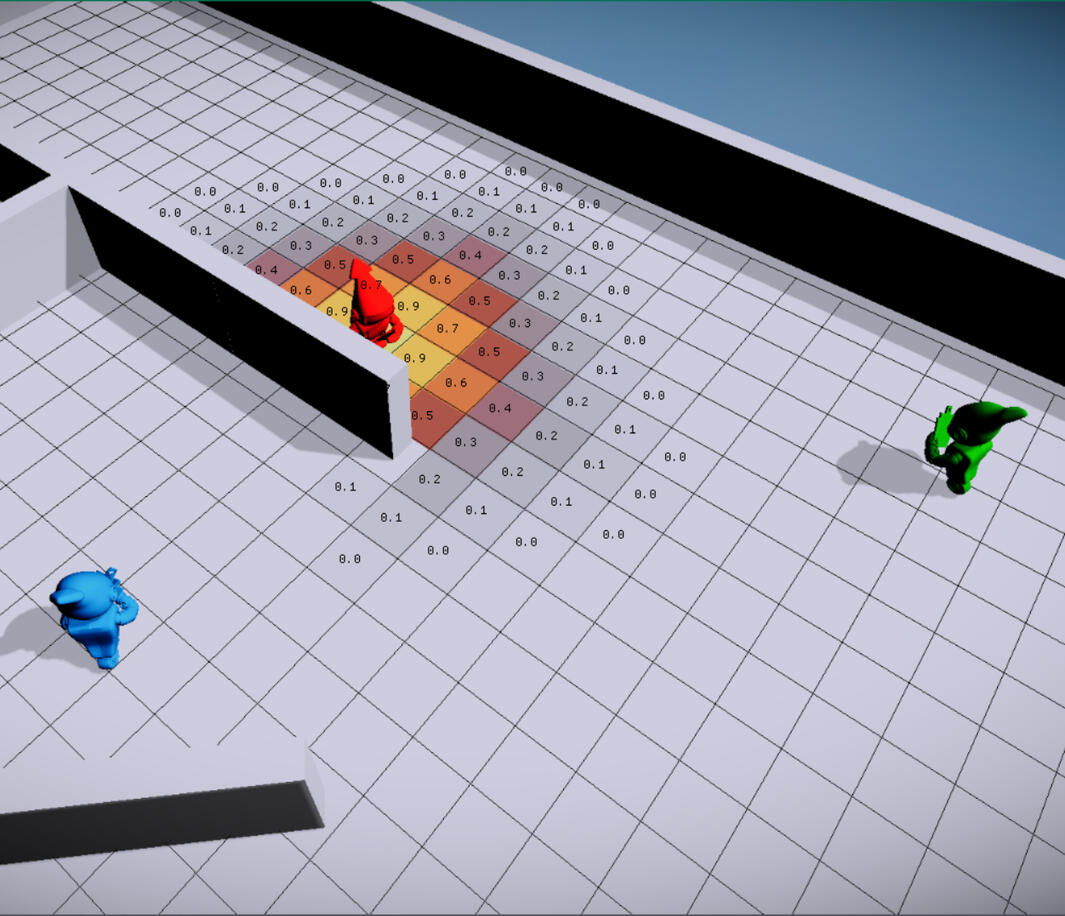
On a set timer, the system looks to re-paint influence of all registered units that have moved to a new cell since last update-tick. We spread half the influence on our current position and our future position (position + velocity) to better represent the units influence.
The need to adapt to level geometry is important also, as it would not make sense to retrieve or apply values on the other side of a wall or outside the map, we want to mark up which cells are valid.
To do so we compare each cell's center position against the Navmesh and mark cells outside of it as invalid. Also when both retrieving and applying influence we use a flood fill algorithm (BFS) to adapt it to the level geometry.
CODE Flood fill influence
Retrieving information
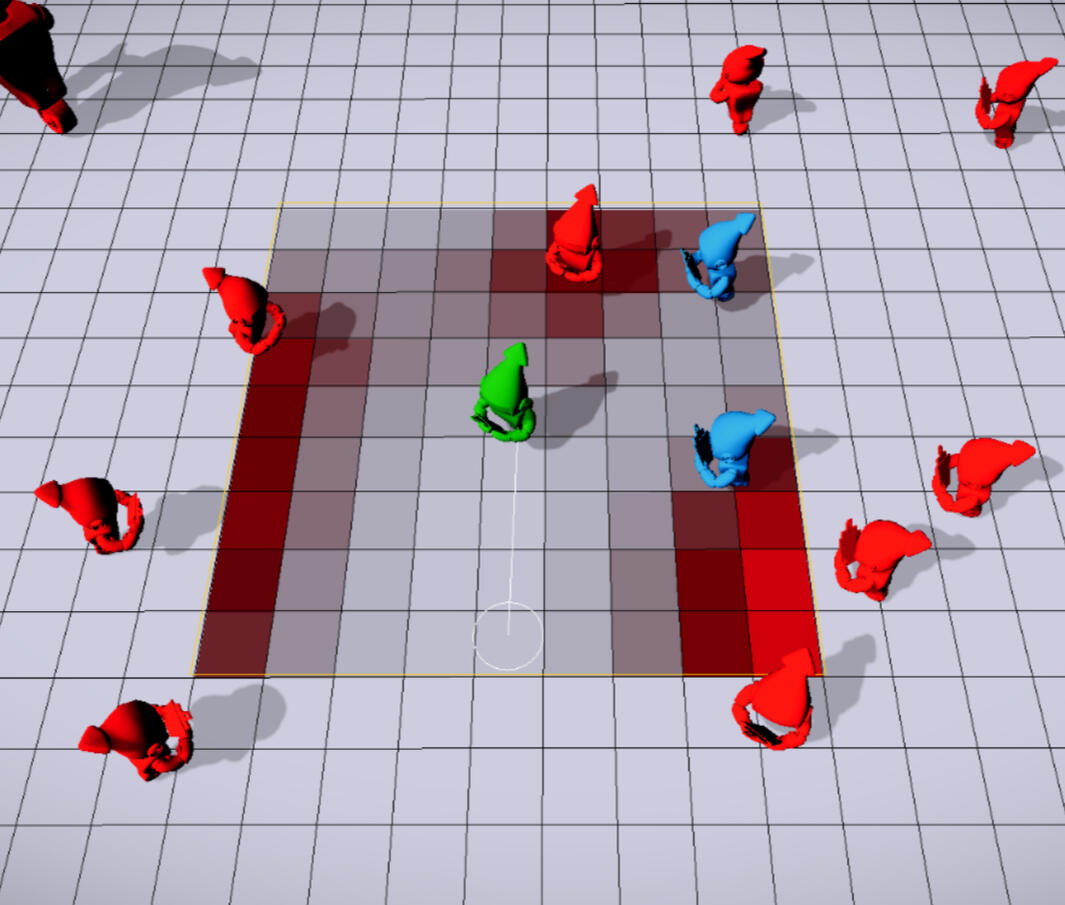
When retrieving information units request a "Working Map" of a certain size and place (position) in the world.
The modular way of the workmap then allows us to fill it with data from the influence maps by specifying Influence type, from which Team and of what Magnitude.This way we can collect different types of influences and combine them using various math operations.
CODE Workmap
Initialization process
Units register them self into the system, specifying influence type, spread radius, influence strength and falloff curve.
The system creates the desired influence maps and stores the information for each user on how their influence should be applied.The falloff curve tells the system how the values should be applied based on the distance to the units position. Having the ability to set a certain curve is useful as some units might not be threatening at close range and want higher values to be applied as the distance increases.To increase performance we can skip running the distance based curve calculations during runtime as the spread radius and falloff curve gives us all information we need to pre-calculate this.
The system therefor creates "InterestTemplates" during setup which basically are smaller grids holding the magnitude of the influence value for each cell of the specified radius and type. A small cost of memory but quite a big gain to runtime performance.
CODE Init Templates
Examples of usage
The dynamic setup of the system allows both dumb and smart AI's to accomplish their goals by assigning weighted values when retrieving influence data through the Workmap.A dumb AI might just care about destroying nearby opponents no mater what, only taking the opponents proximity influence into account when choosing a location to throw a bomb at.A more strategic and smart AI might want to take allied units proximity into account to avoid hurting them.Example scenarios:
- Is there threat at my location higher than X? Retrieve a safe position, I want to flee!
- is there threat at my allied healer location? Retrieve position around it with highest amount of threat, I will defend you!
- Do the area around me have a total influence value higher than X? Time to use my Area of effect spell!
- Where do my grenade do most damage? Retrieve the location with highest enemy influence (center of mass)!
- Where are my allies located? Retrieve a position with low location value, I want to spread from my allies!
Further improvements
- Having a Octree as main grid that can hold influence maps within it to avoid unnecessary cells outside the map.
- Add a scheduler to spread out repainting of influence over multiple frames.
- Bread-crumbing influence that stays in cells and decay over time.
Navigation Grid
Defining flight volumes

Breadth First Search (BFS)

Flight Volumes
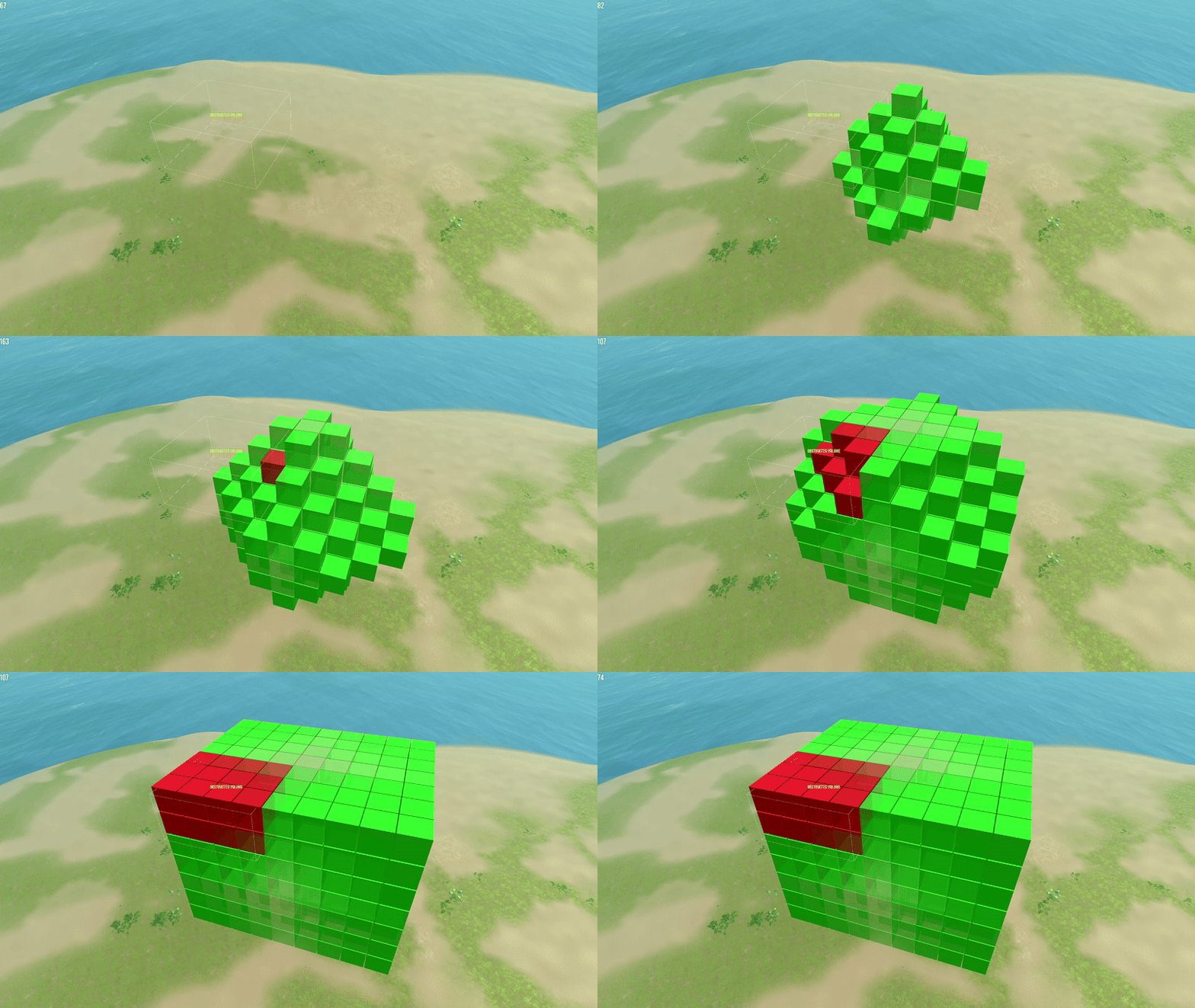
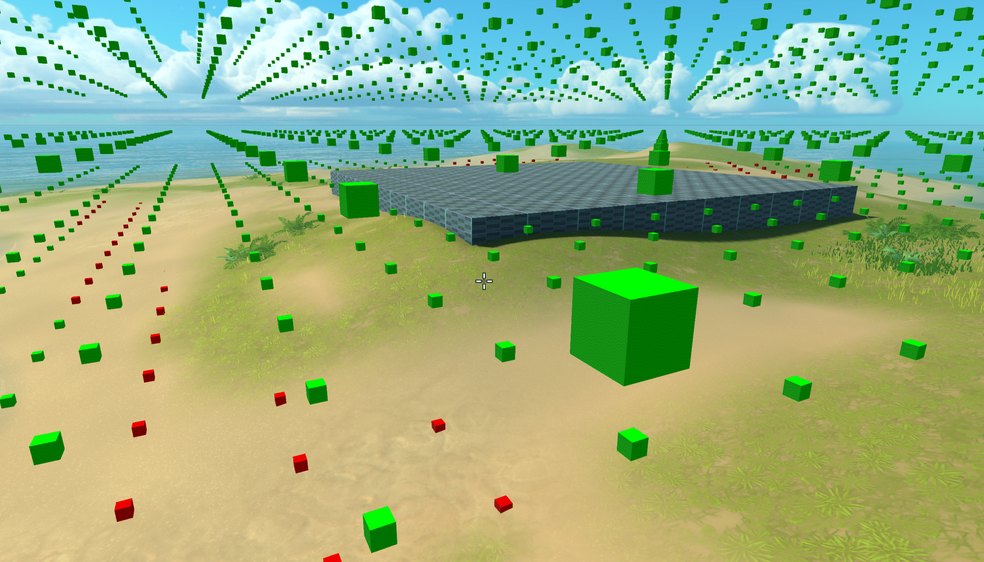
The setup process is a crucial step in determining which volumes within the 3D navigation grid are traversable. It involves performing various collision checks against the terrain, static objects, and predefined blocked areas. Cells that intersect with any of these obstacles are marked as invalid.After marking intersected cells, a breadth-first search (BFS) is initiated from a cell known to be connected to the main grid. This allows us to identify and validate all connected, traversable cells. Any remaining cells that are not reachable through this search are considered disconnected from the main grid and are also marked as invalid.
CODE define flight volumes
Grid Tracing
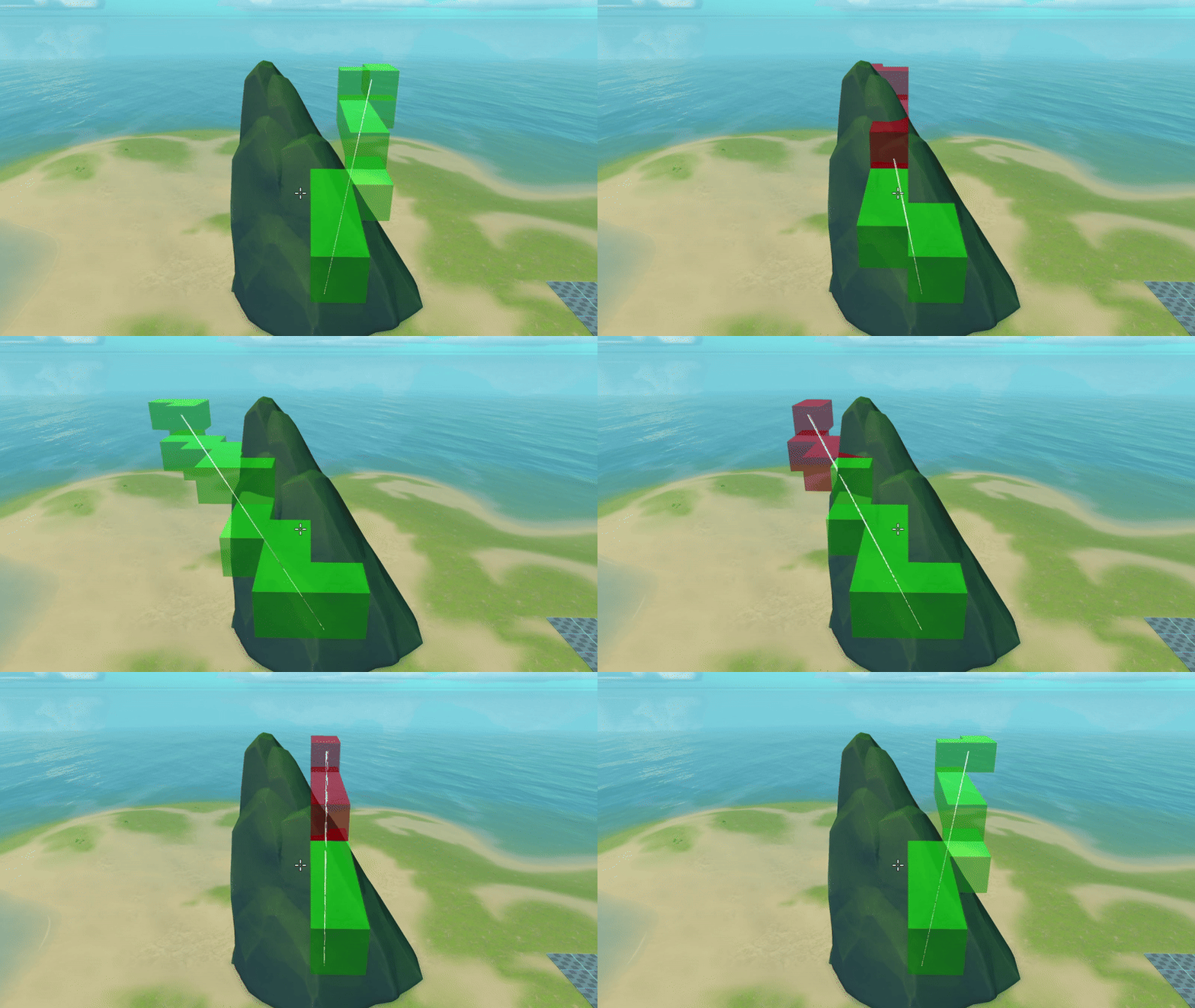
A common optimization technique for grid-based navigation is Bresenham's line algorithm. Given a line segment, it efficiently determines which grid cells the line intersects, one step at a time.By leveraging this, we can perform a grid trace from each apex point in the path, effectively “string-pulling” the A* result. This process simplifies the route, reducing the number of waypoints and producing a more optimized, direct path through the grid.
CODE grid trace
Navigating
A* path
String pulled path
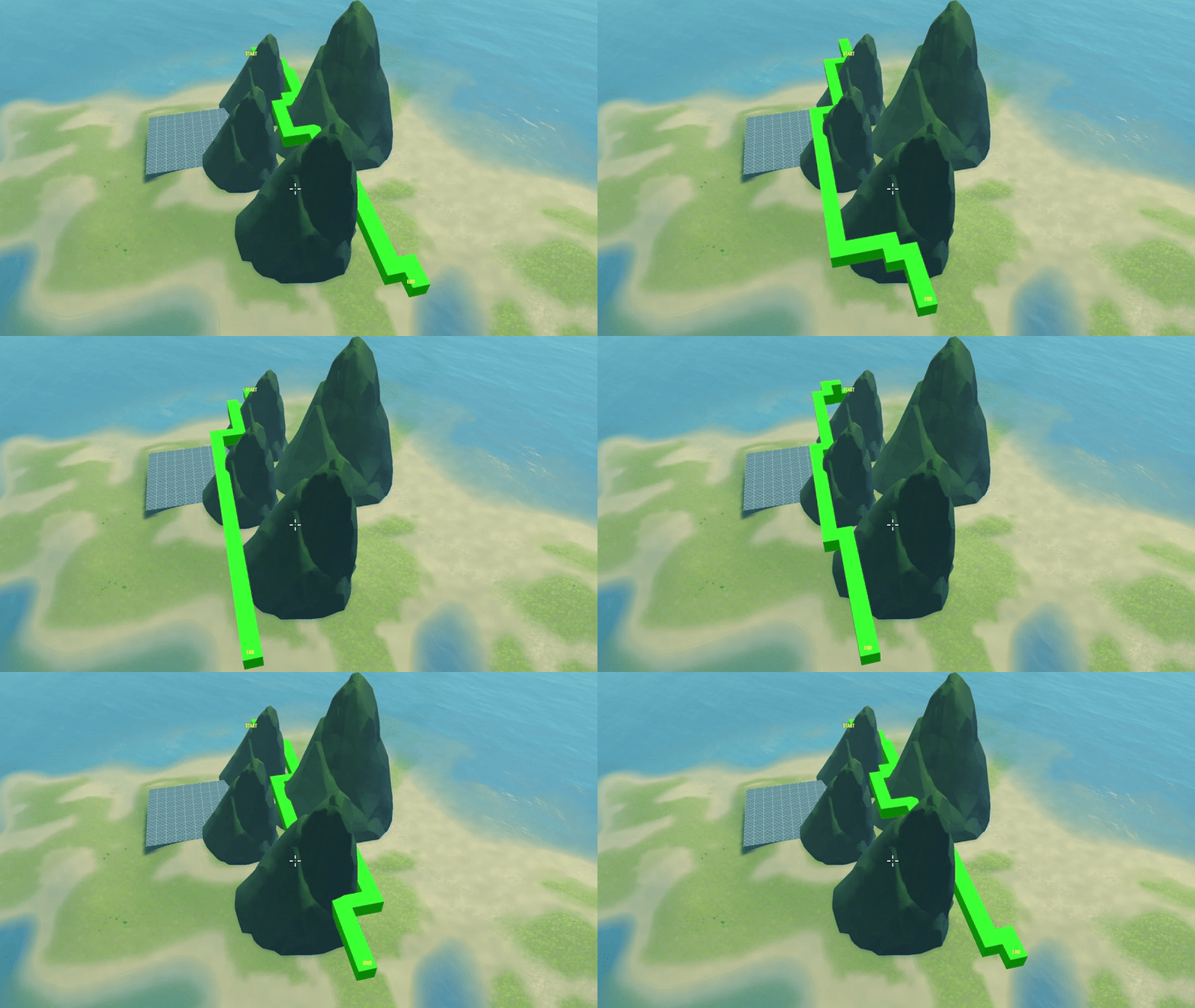
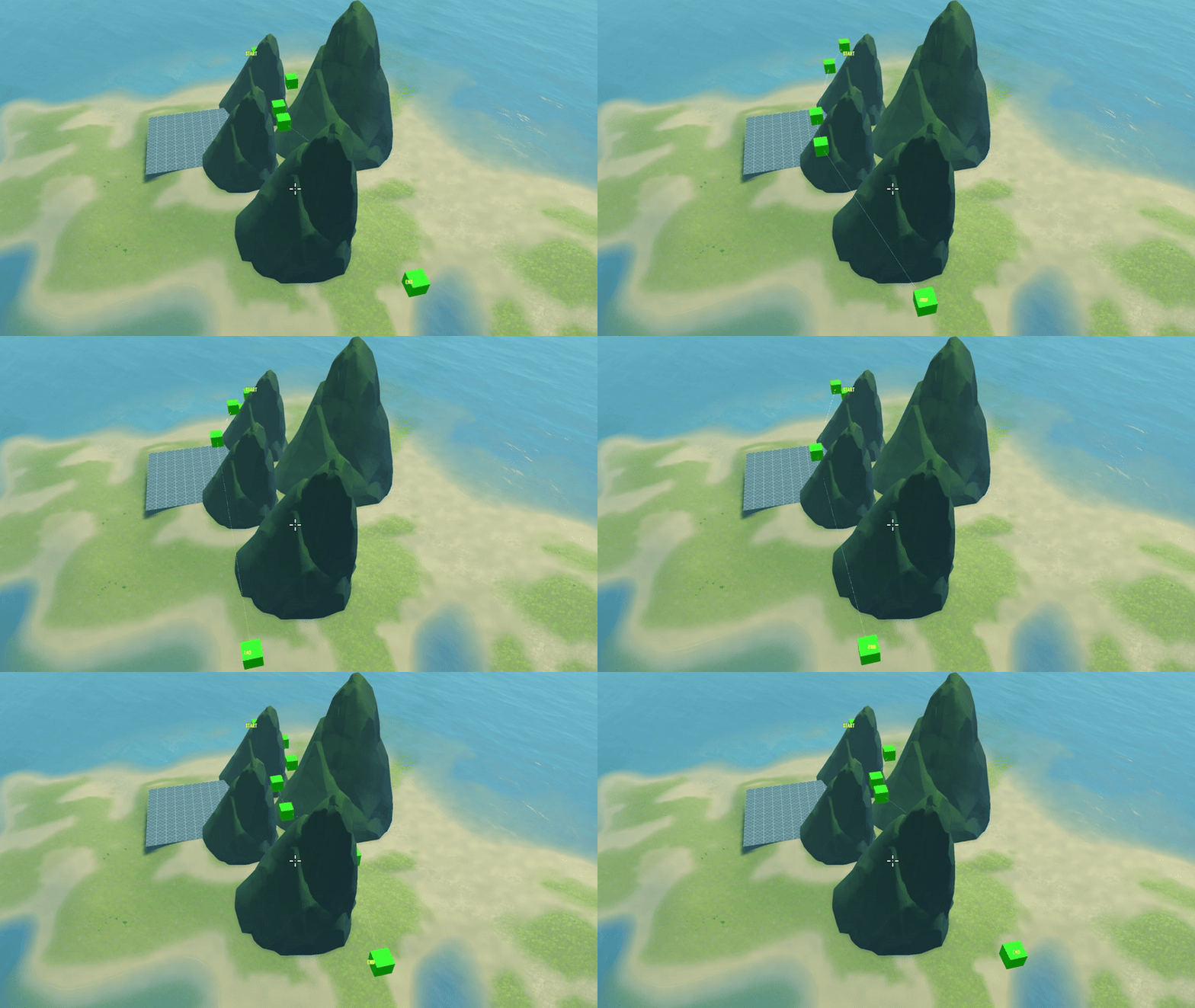
Pathfinding is handled using a basic A* algorithm, which calculates the sequence of volumes (or cells) that need to be traversed from point A to point B. However, since the grid is cell-based, the resulting path tends to be jagged and overly detailed, following a direct cell-to-cell transition that lacks smoothness.To both smooth the path and reduce the number of navigation points, we apply the Grid Trace algorithm. This technique effectively "string-pulls" the path, simplifying it into a more direct and optimized route. It's conceptually similar to the funneling algorithm commonly used in navmesh-based pathfinding.
CODE navigating
Further improvements
Octree-Based Spatial Partitioning
Replacing the uniform grid with an Octree structure allows for adaptive subdivision of space. This enables finer resolution in complex or narrow areas while keeping broader spaces lightweight, leading to more precise path generation and better handling of obstacles in 3D environments.Bezier Curve Smoothing
After generating the simplified path, applying Bezier curves (or other spline-based interpolation methods like Catmull-Rom or B-splines) can produce smooth, natural-looking flight paths. This is especially useful for aerial navigation, where abrupt turns are unrealistic.
Navmesh Pathfinding
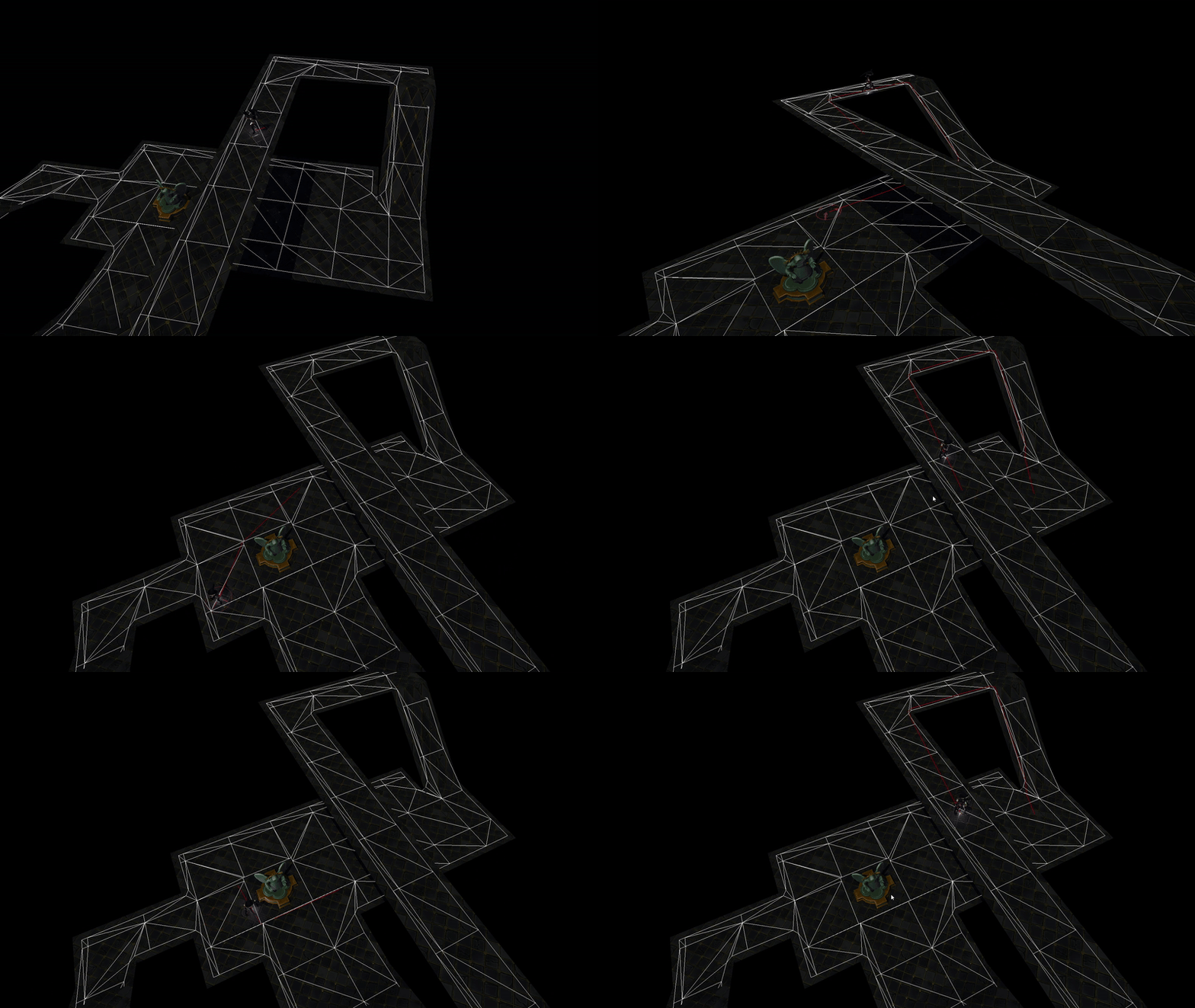
Video showing the algorithm handing out a path to the player in a top down point and click game.
I used my implementation as part of a group project at TGA, see trailer on youtube to see the final results of the project.
Funnel algorithm
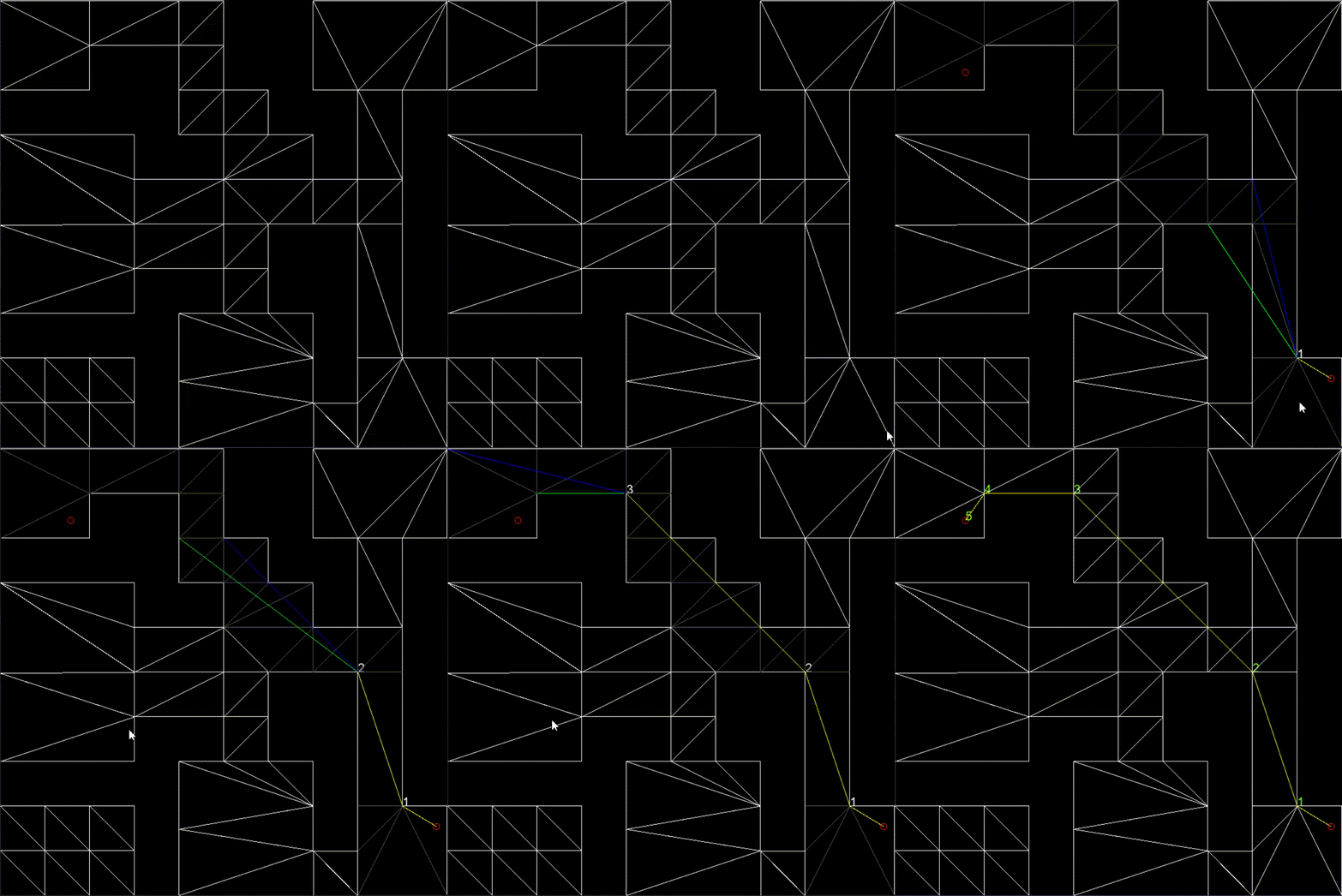
The Funnel algorithm solves the most efficient way to move through a series of triangles.It treats the sequence of triangles as a series of portals (shared edges) and forms a "funnel" shape using two vectors from the current position (the apex) to the left and right sides of each portal.As long as the funnel narrows without the sides crossing, we keep extending it. When the sides cross (i.e., the funnel collapses), we set the apex to the last valid side and restart the funnel from that new position.Once all edges have been processed, we perform a final check by extending both sides to the end position one at a time.
If one side cross the other, we add the last valid side before adding the end position and returning the shortest path.
CODE Pathfinding 2D
A star
The A* algorithm determines the most efficient sequence of nodes to traverse in a graph — in the case of a NavMesh, these nodes are triangles.It works by evaluating which node has the lowest total estimated cost to the goal, using a heuristic estimate function. At each step, it expands the node with the lowest cost, gradually building an optimal path from start to end.However, A* relies heavily on the accuracy of the heuristic function to find the most efficient sequence of nodes. A poor estimate can lead to longer paths or unnecessary node expansions.Another thing I did was to create a grid where each cell contained triangles overlapping the cell.
By doing this I could retrieve the start and end triangle in a efficient way.
CODE NavGrid get node by pos
Hueristics
A heuristic is a function used in A* to estimate the cost of traveling from a node to the goal, helping prioritize which nodes to explore.When estimating distances on a NavMesh, using the center of a triangle for the heuristic can be problematic due to the variety in triangle shapes. Triangles with irregular proportions (e.g., long, narrow ones) can cause misleading estimates and result in inefficient paths.A better approach is to base the heuristic on the nearest position along the shared edge between adjacent triangles. This method provides a more accurate distance estimate and helps ensure the pathfinding algorithm works more efficiently and reliably.
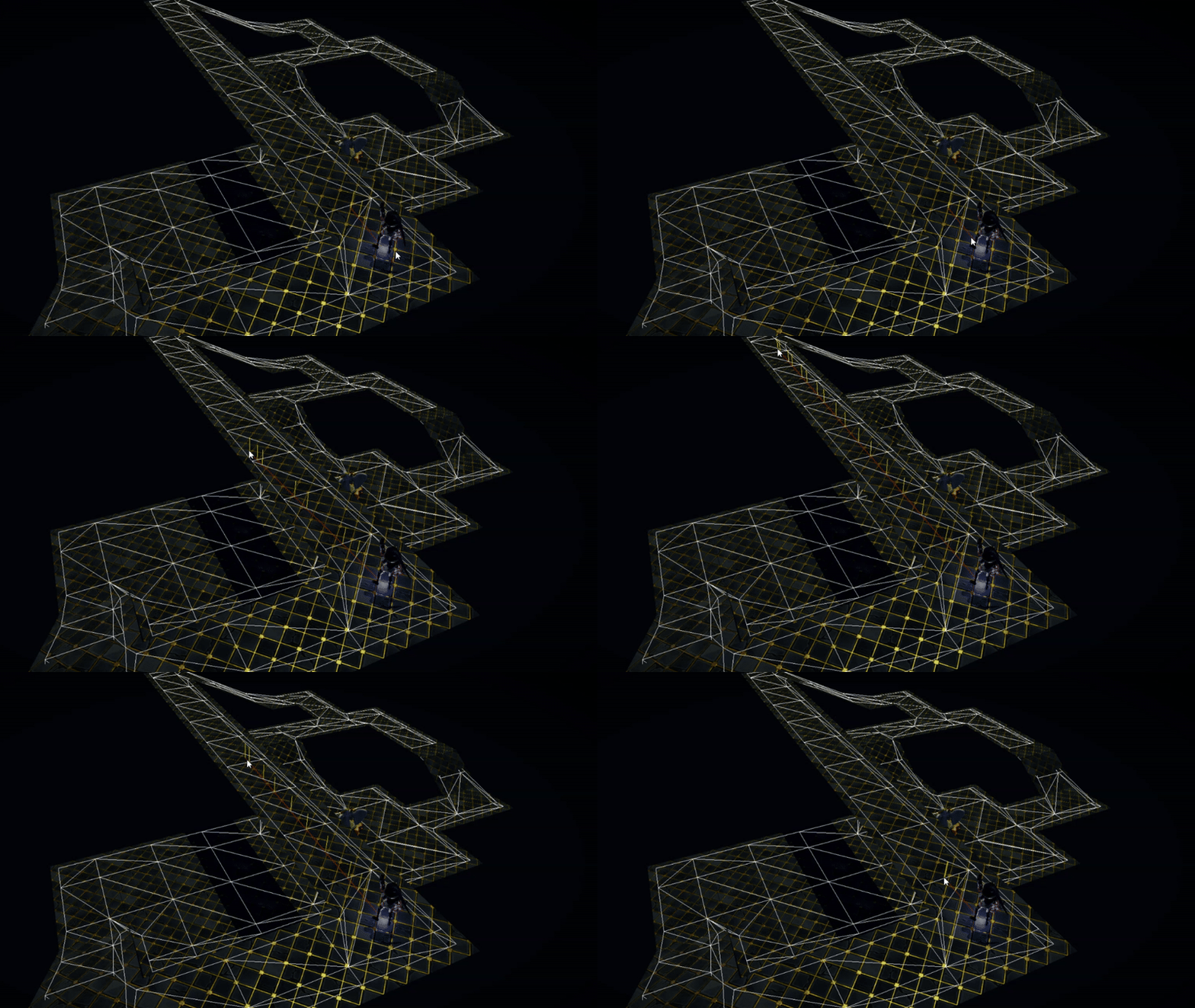
Challanges & learnings
Debugging pathfinding algorithms can be particularly challenging. When a bug appears, the issue is often not so easy to locate. Identifying the cause requires stepping through the algorithm step by step, which can be time-consuming. The varied shapes of triangles in a NavMesh add further complexity, and after resolving issues for a path from A to B, new problems may arise when testing from C to D.The code base for the pathfinding project works as intended, but could definitely need a cleanup and some more structure, which is something I would like to do in the future.
Flocking Boids
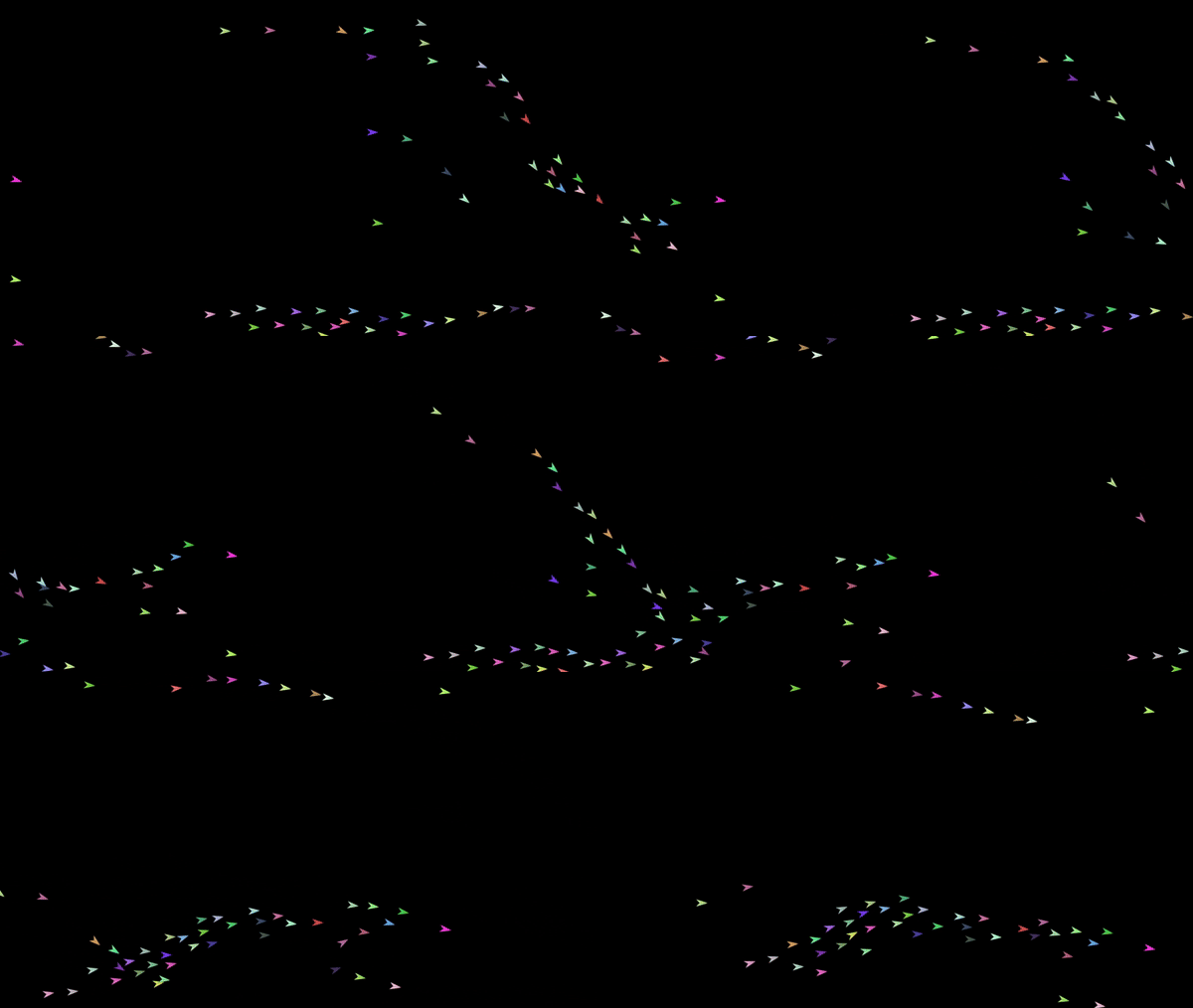
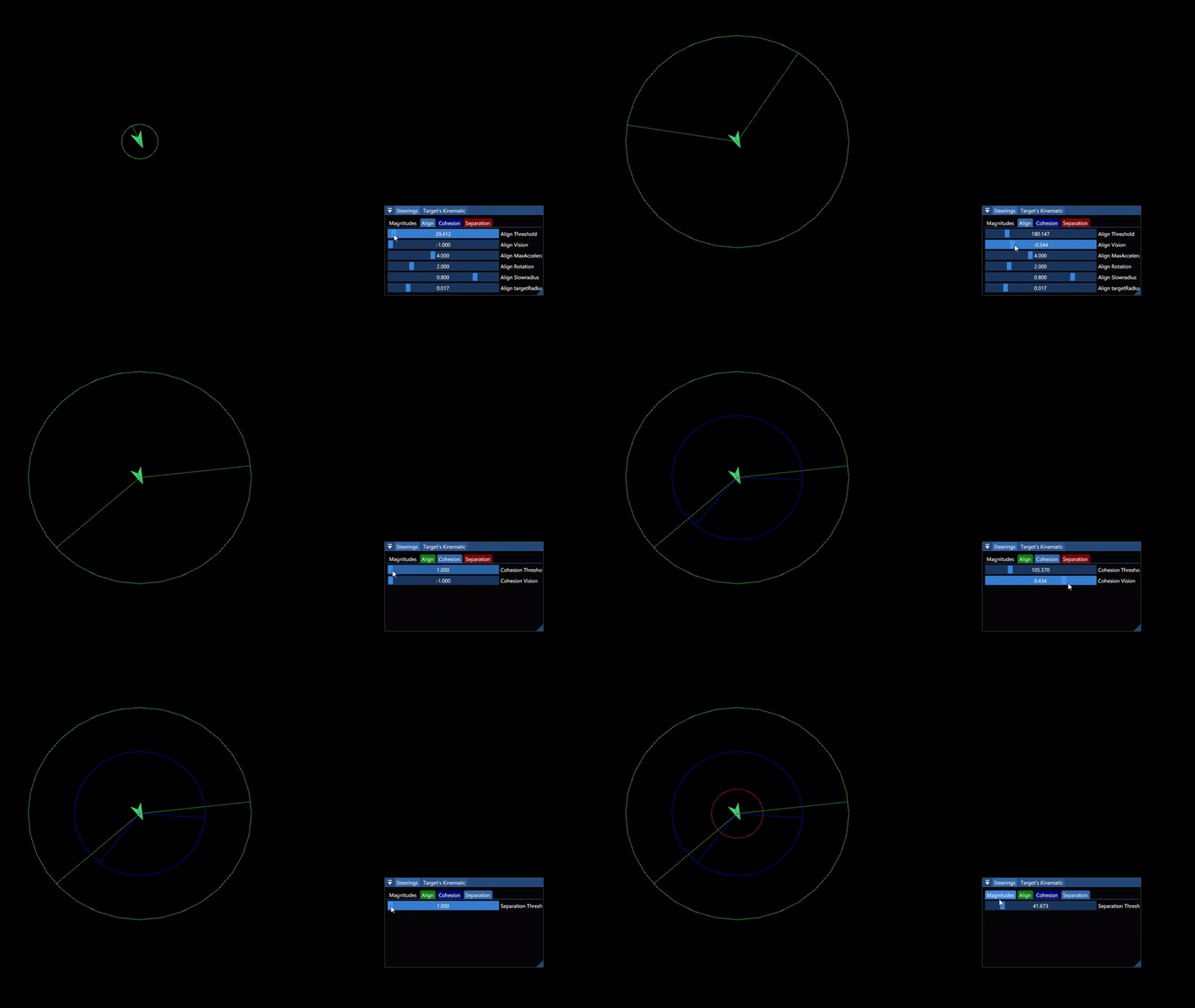
Steering behaviors
Work in progress
CODE
Movement Controller
Work in progress
CODE